You can receive mail at you@yourcompany.com without typing a new web address every morning, but which Gmail feature does that for you matters more than it used to. Only one of the usual tricks (forwarding into Gmail) is permanent. The other two (fetching a non-Google mailbox into Gmail with POP, and sending as a non-Google domain address from Gmail's compose window) are both being switched off by Google in January 2027. So before you wire your domain to anything, it's worth knowing exactly what "keep using Gmail" can mean, and what it can't.
Three different things people mean by "keep using Gmail"
When someone asks for business email on their own domain "while they keep using Gmail," they usually mean one of three things:
- Read it in Gmail's inbox. Mail sent to you@yourcompany.com should show up next to your personal Gmail, with no second tab.
- Send it from Gmail's compose window. When you hit reply or write new, the From line should say you@yourcompany.com, even though you're typing inside Gmail.
- Not learn a new inbox at all. The real goal is less "Gmail specifically" and more "the inbox I already know."
Gmail has a feature for the first two, and both are on Google's own list of things going away.
The two Gmail features this is actually about, and what Google says happens to them
I checked Google's own help pages on 21 November 2026, because these changes matter more than most people realize.
"Check mail from other accounts" fetches a non-Gmail mailbox into your Gmail inbox. Google's own setup page says plainly: "Your other email account needs to have POP access." If the other mailbox doesn't run a POP server, there's nothing for Gmail to fetch from, full stop.
"Send mail as" puts a From address you don't technically own into Gmail's compose window. For a work or business address, Google's setup steps ask you to "enter the SMTP server (for example, smtp.gmail.com or smtp.yourschool.edu) and the username and password on that account," so Gmail can log in and send on your behalf.
Both of these only work if the mailbox on the other end runs a POP or SMTP server a visiting app can log into. And Google has announced it is retiring both for any address it doesn't host itself. From Google's changes page, opened the same day:
"Starting January 2027: Send emails from third-party email address support ends... Gmail will no longer fetch emails from third-party accounts into your Gmail account with POP."
The timeline, straight from that page: the notice period starts Q3 2026 (already underway), a transition period through Q3 to Q4 2026 where both features still work but new setups may be restricted, and full removal in January 2027. Google is explicit that this applies to "third-party, non-Google email accounts," and that it does not touch Gmail-to-Gmail aliases or a Google Workspace "Send as" address, because those are identities Google hosts itself.
One thing Google is explicit does not change: forwarding. Its own FAQ on the changes page asks and answers this directly: "Can I still receive email forwarded from a third-party account? Yes. You can configure your third-party provider to auto-forward messages to your Gmail address. This is independent of Gmail's 'Send as' feature and does not affect it." If your business domain's mail host can auto-forward a copy of each incoming message to your Gmail address, that keeps working past January 2027. POP fetching and third-party send-as do not.
Where LotsMail fits, honestly
I'm the founder of LotsMail, and I want to be straight about this rather than stretch the truth to fit the title above. LotsMail doesn't run a POP or SMTP server that another app can dial into, and it doesn't auto-forward a mailbox's incoming mail out to a second address. Both of those are deliberate: LotsMail is built to be the inbox itself, not a feeder for one. So if your domain's mail runs on LotsMail, there's no SMTP server and username to type into Gmail's "Send mail as" box, and no POP login to hand to "Check mail from other accounts," and no forwarding switch to flip. Pointing your domain at LotsMail means your mail arrives and stays in LotsMail, the same way it would with almost any real mailbox host, not a forwarding service.
That leaves two honest paths, depending on which of the three things above you actually want:
- If what you want is truly "everything lands in Gmail," use a mail setup built for that: your domain registrar's forwarding, a dedicated forwarding service, or Google Workspace, where your domain becomes a real Google-hosted identity and "Send as" is explicitly unaffected by the 2027 change. I go through the aliasing and forwarding limits of Google Workspace, Microsoft 365, Zoho and Cloudflare Email Routing in Email Forwarding or a Real Mailbox?.
- If what you want is a real mailbox on your own domain (for you, and for anyone else on the team) without per-person pricing, and you're fine opening a different tab for it, check it directly: in a browser, or from Claude or ChatGPT, instead of inside Gmail. You bring your Gmail history across once with Import mail, so you're not starting from zero.
The rest of this guide is the second path, step by step, since it's the one that still works after January 2027 either way.
Step by step: a real mailbox on your domain you check instead of Gmail
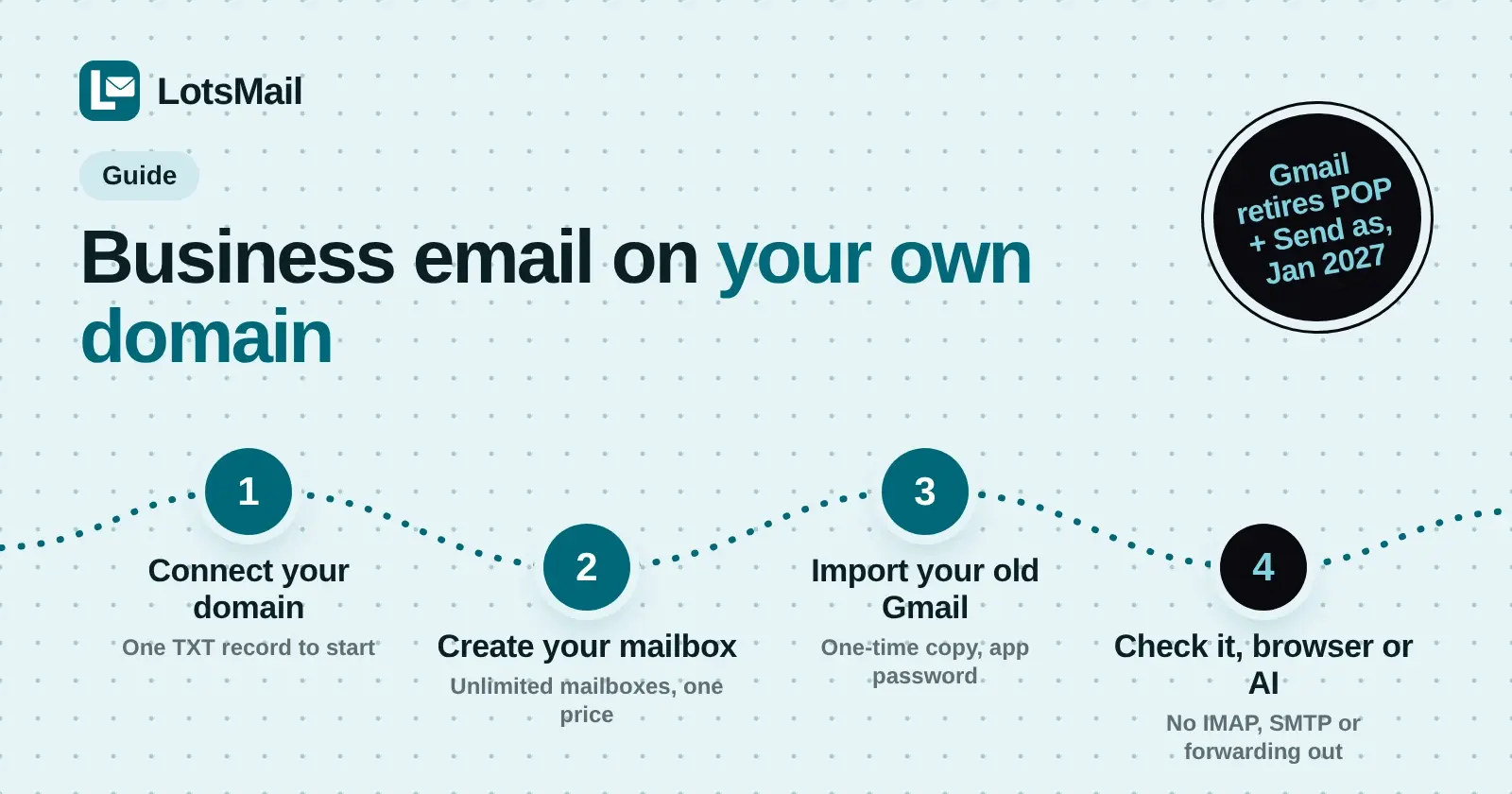
- Connect your domain. You keep your DNS provider and your website. In Console, add the domain and LotsMail shows you a TXT record to add for ownership; once that's found, it sets up sending for you.
- Add the sending records it asks for. A few DKIM CNAMEs, a bounce-domain record and, if your domain has none yet, a DMARC record. LotsMail checks each one and tells you found, missing or wrong, rather than making you guess. I cover what each record does and how to read the checks in SPF, DKIM and DMARC for Your Business Email.
- Create your mailbox (or mailboxes). hello@, you@, or whatever you already use. A domain covers unlimited mailboxes and teammates, so add the rest of the team here too.
- Bring your old Gmail mail across, once. Console > Mailboxes > a mailbox > Import mail, with your old address and a Gmail app password, not your normal password. It runs in the background folder by folder and skips duplicates; Drafts, Spam and Trash aren't copied, and the app password is deleted the moment the import finishes. This is a one-time copy, not an ongoing sync, which is the opposite of what Gmail's POP fetch did.
- Switch your domain's mail over. When you're ready, point the MX record at LotsMail. LotsMail won't suggest this step until sending is verified and you have somewhere for mail to land, and it warns you if your old provider's MX is still published too, so you don't split your mail between two inboxes by accident.
- Check your inbox. Open it in the browser on your phone, tablet or computer, or connect Claude or ChatGPT to it and pick read, draft or send access per mailbox. There's no desktop or phone mail app over IMAP and SMTP, so this inbox and the AI agent are the two ways in, by design, not as a missing feature.
That's the whole setup. One domain, one price, every mailbox real, and nothing feeding back into Gmail, because nothing needs to.
FAQ
Can I set up Gmail to fetch my LotsMail mailbox with "Check mail from other accounts"? No. That feature needs POP access on the other mailbox, and LotsMail doesn't run a POP server for any mail app to connect to. Google is also retiring this feature for every third-party account by January 2027, so it wouldn't be worth building around even where it's available today.
Can I use Gmail's "Send mail as" with my LotsMail address? No, for the same reason: "Send as" for a business address needs an SMTP server, username and password on that mailbox, and LotsMail doesn't expose SMTP to outside mail apps. Google is also ending "Send as" for every non-Google address starting January 2027, so a LotsMail address would stop working there even if it worked today.
Will forwarding my domain's mail into Gmail still work after January 2027? Yes, if your mail host supports it. Google's own changes page says forwarding into Gmail is independent of "Send as" and isn't affected by the January 2027 changes. What is affected is fetching mail into Gmail with POP and sending as a non-Google address from Gmail, not plain forwarding.
Does LotsMail forward my incoming mail anywhere? No. LotsMail is a real mailbox: mail addressed to you arrives and stays there. If you want your domain's mail to land in an existing inbox instead of a new one, you need a mail host built for forwarding, not LotsMail.
Can I bring my old Gmail messages into LotsMail? Yes, with Import mail: your old Gmail address and an app password, copied over folder by folder in the background. Drafts, Spam and Trash aren't imported, and the app password is deleted once the import ends. It's a one-time copy you run yourself, not a live sync.
What does a LotsMail domain cost? Starter is $5 a month or $50 a year for one domain, with unlimited mailboxes and teammates on it, 10 GB of shared storage and 1,000 sent emails a month. Pro and Business cover more domains at a lower rate per domain. Full current prices are on the pricing page, checked 21 November 2026.