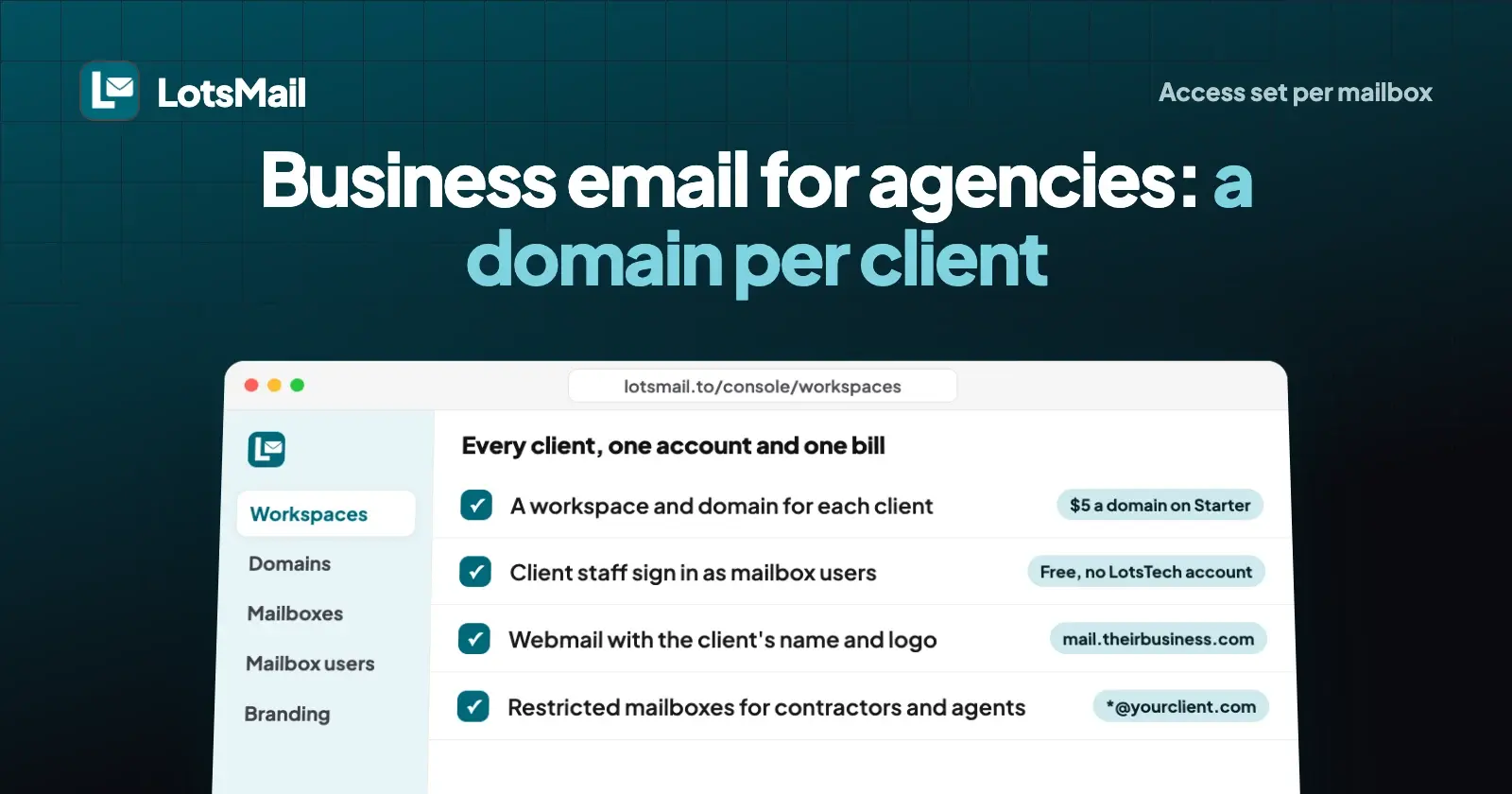
Business email for an agency works best when you pay per client domain, not per person. In LotsMail you run every client from one account: one sign-in, one console, one bill. Each client gets its own domain with unlimited mailboxes, its staff sign in to a webmail with the client's name and logo, and you decide who can read which mailbox.
Here's the problem it solves. On a per-user suite, every person at every client is another licence: ten client domains with two people each is 20 seats, $140 a month on Microsoft 365 Business Basic or Google Workspace Business Starter at $7 a user. On LotsMail the same ten domains cost $50 a month on Starter, $40 on Pro or $60 on Business, and adding a support@ mailbox or a new hire at a client costs nothing.
I wrote this from LotsMail's console and docs as they are on 23 October 2026, with prices and white-label rechecked on 26 and 27 October 2026: how to set up client domains, what client staff see, how access and restricted mailboxes keep each client's mail separate, and what it costs.
How LotsMail is set up for agencies
| What you need | How it works in LotsMail |
|---|---|
| Many client domains | A workspace per client (or several domains in one workspace), all under your account and your bill |
| Price | Per domain: Starter covers 1 domain, Pro 5, Business 20, extra domains at your plan's rate; mailboxes, addresses and teammates unlimited |
| Client staff | Mailbox users: they sign in with their email address and a password, no LotsTech account, free and unlimited |
| Where they sign in | mail.lotsmail.to, one agency address for every client (like mail.youragency.com), or the client's own (like mail.theirbusiness.com) |
| Branding | The client's name, logo and colour on the sign-in screen and in the inbox. White-label: no "Powered by LotsMail", and account emails come from the client's own domain (included on Business, an add-on on other plans). The domain's MX and DNS records still point at LotsMail |
| Your team | Invite a staff member once for all your client workspaces (new ones included) or for chosen ones, with a role |
| Client privacy | Managing a client's mailboxes never opens their mail; owner access must be granted, and is recorded and shown |
| Mailboxes that only talk to certain people | Restricted mailboxes: listed senders and recipients only, for people and AI agents |
| AI assistants | ChatGPT, Claude or any MCP client, with read, draft or send set per mailbox |
One workspace or one per client?
A LotsMail workspace is one business: its domains, mailboxes and team. You can put several client domains in a single workspace, which is the quickest setup when only your own team uses the mail, say for project addresses you run on clients' behalf.
Once a client's own staff sign in, I'd give that client its own workspace. Branding, mailbox users and the team are set per workspace, so each client sees only its own name and logo, and only the people you add to that workspace can manage it. The console says the same: "Running an agency? Create one workspace for each client."
Either way it stays one account for you. Every workspace you own sits in the same console, and every verified domain across them is billed to you together: your plan covers its included domains (1, 5 or 20), and each extra domain costs your plan's rate.
Set up a client domain
- Create the client's workspace in the console under Workspaces, named after the client.
- Add and verify the domain. LotsMail shows a TXT record to prove the client owns it. The client keeps its DNS provider and website where they are.
- Set up sending. Add the records shown; SPF, DKIM and DMARC are checked for you.
- Create mailboxes: one for each person, plus shared ones like support@ or projects@.
- Receive email in LotsMail by pointing the domain's mail to it when the client is ready to switch.
A new domain starts with a small daily sending allowance that grows with good delivery, so plan the switch for a normal week rather than the day of a big send.
What your client's staff get
Client staff don't need a LotsTech account. You create them as mailbox users: they sign in with their email address and a password, and see only the mailboxes you give them. When you add a person, you enter their personal email. They get a one-time activation link to choose their own password, or a one-time password that works for one sign-in and expires in 72 hours. It reaches them at that personal address by email, or you can copy it or send it by WhatsApp, and it never goes to the new mailbox. Webmail has Forgot password and a recovery email. You can also send a password reset link, sign them out everywhere, suspend them or remove them; removing a person keeps the mailbox and its mail in the workspace. Mailbox users are free and unlimited.
Where they sign in is up to you, per client:
- LotsMail's address, mail.lotsmail.to, with nothing to set up.
- Your agency's address, like mail.youragency.com: one address for every client you manage, set up once by the account owner.
- The client's own address, like mail.theirbusiness.com, with that client's name and logo.
On the Branding page you add the client's name, logo and colour. They show above the sign-in form and in the inbox, so the client sees its own email, not your tooling. The inbox itself is the full web inbox on phone, tablet and desktop: threads, search, drafts, sent, archive and attachments.
Keep each client's mail private
Agencies manage email; they shouldn't be reading it. In LotsMail, creating and managing a client's mailboxes doesn't open them. Access is set per mailbox: Can read, Can read and send, or Full control (which adds export and deciding who has access). If the owner gives themselves access to a mailbox, it's recorded and shown as owner access, and the mailbox user is told. Team members only see the mailboxes they're added to.
Your own staff join the client's workspace as teammates with a role:
- Admin manages domains, mailboxes, mailbox users, branding and the team.
- Member uses the mailboxes they're given and can't change settings.
- Viewer sees the workspace setup and can't change anything.
Shared inboxes like support@ work the same way: give them to the people who answer them, and nobody passes a password around. I explain how that differs from a group address in shared inbox vs group email.
Restricted mailboxes: limit who a mailbox can talk to
This is the setting I'd use most as an agency. A workspace owner or admin can restrict any mailbox so it receives only from listed senders and sends only to listed recipients, each set separately. You list exact addresses or a whole domain, like *@yourclient.com.
- Inbound mail is accepted only when the sender's domain proves the message is really from them, so a forged From line doesn't get through. Blocked mail isn't stored.
- Outbound, every To, Cc and Bcc must be on the list, or the message isn't sent. That applies to webmail, the API and AI agents alike.
- Only owners and admins can change the lists, in the dashboard. Agents can see them but not change them.
Three ways agencies use it:
- A contractor or freelancer gets a mailbox on the client's domain that can only email the client's team (
*@yourclient.com), so they can't write to the client's customers by mistake. - A client intake address that only accepts mail from the client's own domain, for briefs and approvals.
- An AI agent's mailbox that can only send to your team, so even with send access it can't reach anyone else.
I go into the safety side in is LotsMail safe?
ChatGPT or Claude across client inboxes
LotsMail works with the AI agent you already use. Connect ChatGPT, Claude, Claude Code, Codex, Cursor or any MCP client to https://api.lotsmail.to/mcp with your Lots sign-in; the agent sees only the mailboxes you can open, each tagged with its workspace. For each mailbox you choose read, draft or send, and sending by agents is off until you turn it on. LotsMail has no built-in AI and no model costs. Try:
In LotsMail, go through the projects@ mailboxes for each of my client workspaces. List anything from the last two days that's waiting on us, grouped by client, and write a reply draft for each. Don't send anything.
The agent uses list_mailboxes, list_threads, get_thread and create_draft; the drafts wait in each mailbox for your team to review. Domains, DNS, mailboxes, team access and restrictions stay in the dashboard, which does the whole job without an assistant too. Setup steps for each assistant are on the connect page.
What it costs an agency
LotsMail is priced per domain, and mailboxes, addresses, teammates and mailbox users are unlimited on every plan (prices checked on 26 October 2026, plan prices from our live catalogue and the pricing page, rechecked 27 October 2026):
| Plan | Price | Domains included | Each extra domain |
|---|---|---|---|
| Starter | $5 a month or $50 a year | 1 | At your plan's rate |
| Pro | $20 a month or $200 a year | 5 | At your plan's rate |
| Business | $60 a month or $600 a year | 20, white-label on every domain | At your plan's rate |
| Pay as you go | $6 a month per domain from LotsTech Credits | No plan | $6 a month |
Every domain gets 10 GB of shared storage and 1,000 outbound deliveries a month, so one busy client doesn't use up another's; add-ons for more are on the pricing page. Ten client domains cost $50 a month on Starter, $40 on Pro or $60 on Business (with white-label), whether each client has 2 people or 20. For the full worked numbers against Google and Microsoft, see what business email costs for a team of 10 and an agency with 10 client domains.
New accounts get 5,000 free credits, valid 90 days, no card. If a payment lapses, sending stops at once, incoming mail keeps arriving for 14 days and then pauses, and your mail is never deleted. See pricing.
What isn't there yet
Tell clients plainly before you move them:
- Mail apps (Outlook, Apple Mail, Thunderbird over IMAP and SMTP) are coming soon. Today everyone uses the web inbox on phone, tablet and desktop.
- Importing old mail is available. The client's current provider keeps its existing mail, and you can copy it into LotsMail with Import mail: Gmail, Google Workspace, Zoho, Yahoo or any host with IMAP, using an app password. Import from Microsoft 365 and Outlook.com isn't available yet (planned, no date), and calendar and contacts aren't imported. New mail arrives in LotsMail once the domain points to it.
- No calendar.
- No group email or distribution lists. An address delivers to one mailbox; for team@ use a shared mailbox and add the people who need it.
- No bulk, marketing or cold email, ever. LotsMail is for normal business email.
If a client needs any of these today, keep that client on its current provider and move it later. For other hosts that suit many domains, I compared them in the best email hosting for multiple domains.
FAQ
What is the best way for an agency to manage client email?
Pay per client domain, not per person, and keep each client separate. In LotsMail you give each client its own workspace and domain under your one account, create its staff as free mailbox users, and set access per mailbox. One bill covers every client domain.
How much does business email cost for an agency with many client domains?
On LotsMail, ten client domains cost $50 a month on Starter, $40 on Pro or $60 on Business, however many people each has. On per-user plans such as Microsoft 365 Business Basic or Google Workspace Business Starter, ten clients with two people each is 20 licences at $7, or $140 a month.
Do my clients need a LotsMail or LotsTech account?
No. Client staff sign in as mailbox users with their email address and a password, at mail.lotsmail.to, your agency's address or the client's own address. Mailbox users are free and unlimited.
Can my agency read my clients' email?
Not by default. Managing a client's mailboxes doesn't open them. If the account owner gives themselves access to a mailbox, it's recorded, shown as owner access and the mailbox user is told.
Can I white-label the webmail for each client?
Yes. White-label is live: the webmail on your own address shows only your brand, and sign-in, password, hand-over and invitation emails come from your client's own domain, not LotsMail. It is included on every domain with Business and is an add-on on Starter and Pro. The known limit: the domain's MX and DNS records point at LotsMail.
Does LotsMail support group email for a client's team?
No. LotsMail has no group email or distribution lists: an address delivers to one mailbox. For team@ or support@, create a shared mailbox and give access to the people who answer it.
Sources (opened 23 October 2026; pricing and white-label rechecked 26 and 27 October 2026)
- LotsMail: lotsmail.to, pricing, connect page, agent docs, tool list, skill
- Microsoft: Microsoft 365 Business Basic
- Google: Workspace pricing