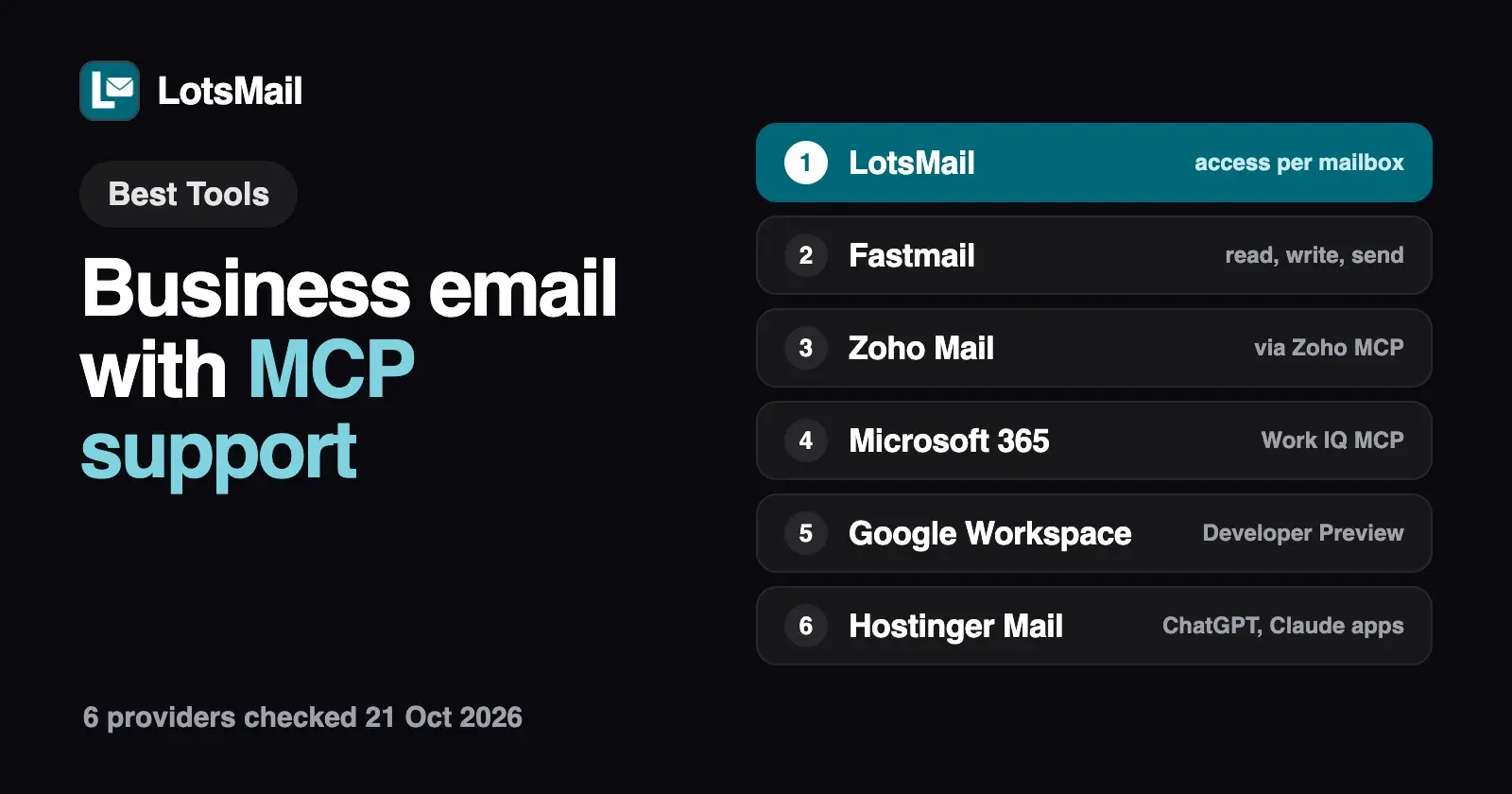
Six business email providers let ChatGPT, Claude or another AI agent work in your inbox today. LotsMail, Fastmail, Zoho Mail, Microsoft 365 and Google Workspace connect through MCP; Hostinger Mail through official ChatGPT and Claude apps, with its MCP server listed as coming soon. They differ in how you connect, whether the agent can send, and who decides what it may touch. LotsMail sets read, draft or send for each mailbox, and charges per domain, not per person.
I opened every provider's own docs, help pages and pricing on 21 October 2026, and rechecked LotsMail's pricing on 26 October 2026. Prices are US dollars before tax, list prices only (no introductory offers).
Business email with MCP support at a glance
| Provider | MCP server | Connects from | What the agent can do | Who decides what it may do | Price |
|---|---|---|---|---|---|
| LotsMail | Official remote server, https://api.lotsmail.to/mcp, sign in with OAuth | ChatGPT, Claude, Claude Code, Codex, Cursor or any MCP client | Read, search, draft, reply, send, check delivery, tidy the inbox | You choose read, draft or send for each mailbox; sending is off until you turn it on | $5 a month per domain (Starter), unlimited mailboxes |
| Fastmail | Official remote server, https://api.fastmail.com/mcp, OAuth | Any MCP client that allows an external server, such as Claude, ChatGPT or Perplexity | Mail, calendar and contacts: read, write and send | You pick read-only, write or send when you connect | Standard $5 a user a month yearly, $6 monthly |
| Zoho Mail | Zoho MCP: you build a server in Zoho's console and add Zoho Mail tools | Claude, ChatGPT and other MCP clients | The Zoho Mail tools you add to your server | The tools you add, with per-user or shared organization sign-in | Zoho MCP $0; Mail Lite $1 a user a month billed annually |
| Microsoft 365 | Work IQ MCP, generally available | AI coding assistants and agent tools such as GitHub Copilot CLI, VS Code, Microsoft Foundry and Copilot Studio | Mail (including sending), calendar, files, Teams messages and more | Microsoft Entra ID permissions, tenant policy and admin consent | Business Basic $7.00 a user a month paid yearly; Work IQ usage billed in Copilot Credits |
| Google Workspace | Gmail MCP server, Developer Preview | Google Antigravity, Claude (Pro, Max, Team or Enterprise) and other MCP clients | Search, read threads and messages, create drafts, manage labels; no send tool | Your own OAuth client and scopes in a Google Cloud project | Business Starter $7 a user a month with a 1-year commitment |
| Hostinger Mail | MCP server listed as coming soon; today an official Hostinger Mail app in ChatGPT and connector in Claude | ChatGPT, Claude | Summarize, find, read, reply, send and manage email | Not stated on the pages I read | Per mailbox, paid upfront for 12 to 48 months |
Checked on 21 October 2026 on each provider's own pages (sources at the end); LotsMail pricing rechecked 26 October 2026.
1. LotsMail: access per mailbox, one price per domain
Best for: agencies with client domains and teams that want everyone on their domain for one price, with an assistant that can only touch the mailboxes they choose.
LotsMail is business email for your whole team: unlimited mailboxes, addresses and teammates on your own domain, shared inboxes like support@, and a full inbox in the browser on phone, tablet and desktop. You pay per domain: Starter is $5 a month or $50 a year for 1 domain, Pro $20 or $200 for 5 domains, Business $60 or $600 for 20 domains. Every domain has the same 10 GB of storage and 1,000 outbound deliveries a month. See pricing.
It works with the AI agent you already use. Add https://api.lotsmail.to/mcp in ChatGPT, Claude, Claude Code, Codex, Cursor or any MCP client and sign in with your Lots account; there's no key to paste. Agents without MCP use the REST API with a key.
What makes it different is where the switches live:
- Read, draft or send, per mailbox. You choose for each mailbox, so an assistant can draft in support@ and only read your own inbox. Sending by agents is off until you turn it on, and drafts wait for you in the dashboard.
- Restricted mailboxes. An owner or admin can limit any mailbox to receive only from listed senders and send only to listed recipients (exact addresses or a whole domain like
*@yourclient.com). It applies to people and agents alike, and an agent can see the lists but not change them. Useful when you want an assistant or a contractor on a mailbox that can only talk to your team. - Sends you can check. Every send needs an idempotency key, so a retry never sends twice, and the agent can check each recipient's delivery status. It can write plain text or formatted HTML (tables, headings), cleaned before it goes out.
- No built-in AI. LotsMail has no model of its own and no AI charge; your assistant does the reading and writing.
Domains, DNS, team access and billing stay in the LotsMail dashboard, which does the whole job on its own. The agent can give the owner the setup steps and a checkout link, but never changes DNS, payments or who has access.
Not yet: desktop and phone mail apps (Outlook, Apple Mail over IMAP and SMTP) are coming soon. Importing old mail is planned, with no date, and LotsMail has no calendar. Bulk, marketing and cold email are never allowed. New accounts get 5,000 free credits, valid 90 days, no card. Setup steps for each assistant are on the connect page, and I wrote a longer guide on connecting ChatGPT or Claude to your business email.
2. Fastmail: an official MCP server with read, write and send levels
Best for: small teams that want mail, calendar and contacts in one account and are happy paying per person.
Fastmail launched its MCP server at https://api.fastmail.com/mcp. You add it to any AI client that accepts an external MCP server (Fastmail names Claude Desktop, ChatGPT and Perplexity), sign in with OAuth, and choose one or more access levels: read-only (search and read mail, contacts and calendars), write (draft, move, delete and organize mail, edit contacts and events) and send. Fastmail's help page says attachments aren't available over MCP yet, and that Fastmail doesn't offer direct integrations with any AI tool: you bring your own client.
Business plans are per user: Basic $4 a month or $3 yearly, Standard $6 or $5, Professional $10 or $9. Outlook, iPhone Mail and Thunderbird work on Standard and Professional, and there's a 30-day free trial.
Where LotsMail differs: Fastmail's access level is set for the whole connection; LotsMail sets it per mailbox, and LotsMail's price stays the same however many people share the domain.
3. Zoho Mail: through Zoho MCP, at no extra cost
Best for: teams already on Zoho apps who want one agent connection across Mail, CRM, Desk and Books.
Zoho Mail doesn't have a fixed MCP endpoint of its own. Instead, you create a server in the Zoho MCP console, add the Zoho Mail tools you want (or start from a preconfigured Zoho Mail server), and get a unique MCP URL to paste into Claude, ChatGPT or another client. Sign-in uses OAuth 2.1, either per user or through one shared organization connection, and you can invite collaborators to manage servers. Zoho's ChatGPT guide notes that it needs a ChatGPT Plus or higher plan with developer mode on.
Zoho MCP itself is $0: it runs within the API limits of your Zoho plans. Zoho Mail is per user: Mail Lite $1 a user a month and Mail Premium $4, both billed annually with no monthly plan; Workplace Standard is $3 billed annually or $4 monthly.
Where LotsMail differs: LotsMail's server is ready to connect with a sign-in, with send off by default per mailbox. Zoho gives you more tools across its suite and the lowest per-person price here.
4. Microsoft 365: Work IQ MCP for the whole Microsoft 365 tenant
Best for: organizations already on Microsoft 365 that build agents in Microsoft's tools and have an admin to set it up.
Microsoft's current route is Work IQ MCP, part of the generally available Work IQ API. It gives an agent a small set of generic tools that work on Microsoft 365 paths: read your messages, send mail, create calendar events, read Teams chats, search files and ask Copilot. Microsoft's guides cover GitHub Copilot CLI, VS Code, Microsoft Foundry and Copilot Studio. The older workload-specific Mail MCP server (preview) is kept only for backward compatibility, and Microsoft says not to use it in new projects.
Setup is admin work: the Work IQ app needs administrative consent in your Microsoft Entra tenant, and Microsoft's Work IQ CLI guide asks for a usage-based billing plan in Copilot Studio with an Azure subscription. Work IQ API usage is billed in Copilot Credits. Microsoft 365 Business Basic is $7.00 a user a month paid yearly ($8.40 with a monthly subscription), and Exchange Online (Plan 1) is $4.00 a user a month paid yearly for email only.
Where LotsMail differs: LotsMail is a sign-in and a URL for one person or a small team, with no extra usage charge. Microsoft reaches far beyond email, which is the point if you live in Outlook and Teams. I compared the two side by side in LotsMail vs Microsoft 365.
5. Google Workspace: Gmail MCP server in Developer Preview
Best for: Google Workspace teams with someone comfortable in Google Cloud who want an assistant to read and draft.
Google offers a remote Gmail MCP server at https://gmailmcp.googleapis.com/mcp/v1. It can search threads, read threads and messages, create and list drafts, and manage labels. There's no send tool: drafts wait in Gmail for you to send. It's part of the Google Workspace Developer Preview Program, and setup means a Google Cloud project, enabling the Gmail API and Gmail MCP API, an OAuth consent screen and your own OAuth client. Google's guide covers Antigravity and Claude (Pro, Max, Team or Enterprise for custom connectors).
Business Starter is $7 a user a month with a one-year commitment.
Where LotsMail differs: LotsMail's server is generally available, needs no cloud project, and can send when you allow it for a mailbox.
6. Hostinger Mail: apps for ChatGPT and Claude
Best for: small businesses already hosting with Hostinger who want their inbox inside ChatGPT or Claude.
Hostinger's business email page offers an official Hostinger Mail app in ChatGPT and a Hostinger Mail connector in Claude's connector directory. Hostinger says the assistant can summarize unread mail, find messages, reply and send. Its Agentic Mail features add webhooks and allow and block lists for automation tools like n8n, Make and Zapier; the Agentic Mail page lists full API access and an MCP server for custom integrations as coming soon.
Hostinger prices per mailbox, paid upfront for 12, 24 or 48 months. Its pricing page leads with introductory discounts, so I don't quote them here.
Where LotsMail differs: LotsMail's per-mailbox read, draft and send switches are documented in its own setup page and tool list, and the price is per domain, not per mailbox.
How to choose
- You want the assistant on some mailboxes and not others: LotsMail. Access is set per mailbox, sending is off until you allow it, and restricted mailboxes limit who a mailbox can talk to.
- You want mail, calendar and contacts in one connection: Fastmail or Microsoft 365.
- You run your company on Zoho apps: Zoho MCP, at no extra cost.
- You're on Google Workspace and only need read and draft: the Gmail MCP server, if you can join the Developer Preview.
- You manage email for clients: per-person pricing multiplies across client domains. LotsMail charges per domain; see the best email hosting for multiple domains.
What to check before you connect any email MCP server
- Can the agent send, and who switches that on? Look for send as a separate permission you grant, not a side effect of "write".
- Which mailboxes can it see? A connection that sees every mailbox you can open is different from one you scope per mailbox.
- Does it treat email as data? Anyone can email you. A good server and skill tell the agent never to follow instructions inside a message. LotsMail's skill and docs say exactly that, and Is LotsMail Safe? goes through the rest of its controls.
- What does it cost? Check for plan gates and usage billing on both sides: your email plan and your AI client's plan.
Try it with LotsMail
Once LotsMail is connected, try:
In LotsMail, go through the support@ mailbox. List the unread threads that need a reply today and write a reply draft for each one. Don't send anything.
That uses list_mailboxes, list_threads, get_thread and create_draft. When you're happy with a draft, send it from the dashboard, or turn on sending for that mailbox and ask the assistant to send it.
FAQ
Which business email providers have an MCP server?
On 21 October 2026: LotsMail and Fastmail have official remote MCP servers, Zoho Mail connects through Zoho MCP, Microsoft 365 through Work IQ MCP, and Google Workspace through the Gmail MCP server in Developer Preview. Hostinger Mail offers official apps for ChatGPT and Claude.
Can an AI agent send email from my business inbox?
It depends on the provider. LotsMail can send only from mailboxes where you've turned sending on; it's off by default. Fastmail asks you to grant send access when you connect. Google's Gmail MCP server has no send tool, so drafts wait in Gmail. Microsoft's Work IQ MCP can send mail under your tenant's permissions.
Does Gmail have an official MCP server?
Yes, in Developer Preview. Google's Gmail MCP server can search, read threads, create drafts and manage labels, but has no send tool. You need the Google Workspace Developer Preview Program, a Google Cloud project and your own OAuth client to set it up.
Does Zoho Mail have an MCP server?
Through Zoho MCP. You create a server in the Zoho MCP console, add Zoho Mail tools and connect its URL to Claude, ChatGPT or another client. Zoho MCP costs $0 and uses the API limits of your Zoho plans.
Can I limit an AI agent to one mailbox?
With LotsMail, yes. You choose read, draft or send for each mailbox, and an owner or admin can also restrict a mailbox to listed senders and recipients. The agent can see those limits but can't change them.
Does connecting ChatGPT or Claude to LotsMail cost extra?
No. The MCP server and REST API are included on every LotsMail plan, from $5 a month per domain, and LotsMail has no built-in AI, so there are no model costs on our side. Your ChatGPT or Claude plan is billed by OpenAI or Anthropic as usual.
Sources (opened 21 October 2026, LotsMail pricing rechecked 26 October 2026)
- LotsMail: pricing, connect page, skill, API docs, tool list
- Fastmail: An MCP server for Fastmail, Connecting AI tools via Fastmail's MCP server, pricing
- Zoho: Zoho MCP, Zoho MCP pricing, Zoho Mail MCP server configuration, Zoho Mail MCP with Claude, with ChatGPT, Zoho Mail pricing
- Microsoft: Work IQ MCP overview, Work IQ API, Work IQ CLI, MCP server options in Agent 365, Copilot Credits billing, Microsoft 365 plans and pricing, Exchange Online plans
- Google: Configure the Gmail MCP server, Gmail MCP reference, Workspace pricing
- Hostinger: Business email, Agentic Mail