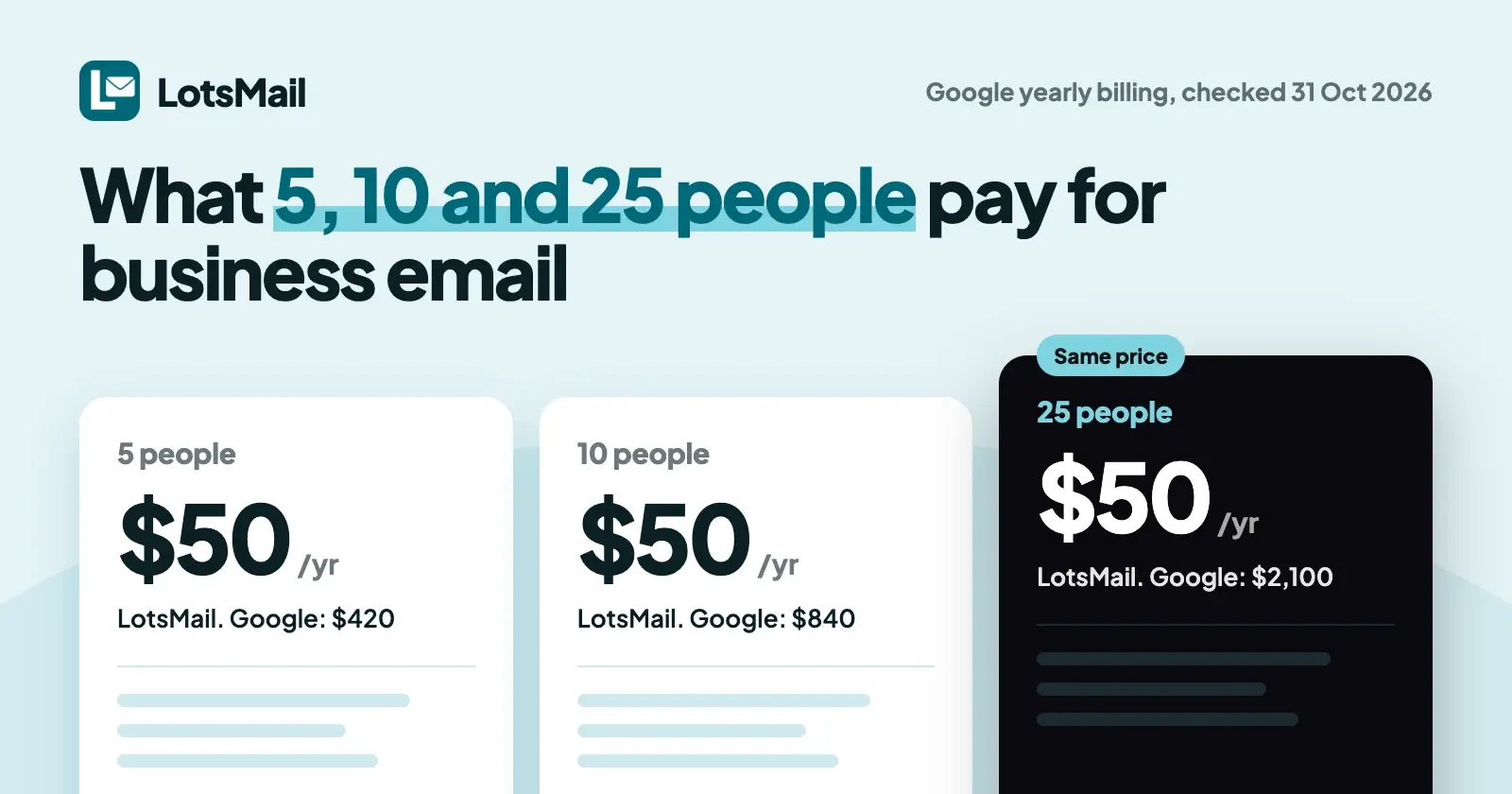
A startup's email bill shouldn't grow with every hire, and on LotsMail it doesn't. Starter is $5 a month ($50 a year) for one domain, whether 5, 10 or 25 people use it. The same people cost $35, $70 and $175 a month on Google Workspace Business Starter or Microsoft 365 Business Basic on yearly billing. The catch is storage: each LotsMail domain has 10 GB shared by everyone on it.
I opened each provider's own pricing page on 31 October 2026 and worked out the bill for a 5, a 10 and a 25 person team. Prices are US dollars before tax, list prices only (introductory discounts aren't quoted). Sources are at the end.
What 5, 10 and 25 people pay for business email
Each person has their own mailbox on your domain. Per-person plans multiply by headcount; LotsMail and the flat hosts charge per domain or account.
Per month, on yearly billing (the lowest list price each provider shows):
| Provider and plan | 5 people | 10 people | 25 people | What each person gets |
|---|---|---|---|---|
| LotsMail Starter | $4.17 ($50 a year) | $4.17 | $4.17 | 10 GB per domain, shared by everyone; browser inbox; no calendar |
| Zoho Mail Lite | $5 | $10 | $25 | 5 GB of mail storage; calendar and mobile and desktop apps listed |
| Zoho Workplace Standard | $15 | $30 | $75 | 30 GB of mail storage; office suite and meetings in the plan |
| Fastmail Standard | $25 | $50 | $125 | 60 GB total; calendars; works with third-party mail apps |
| Proton Mail Essentials | $34.95 | $69.90 | $174.75 | 15 GB; calendar; works with Outlook, Thunderbird and Apple Mail |
| Google Workspace Business Starter | $35 | $70 | $175 | 30 GB pooled storage per person; Gmail, video meetings |
| Microsoft 365 Business Basic | $35 | $70 | $175 | 1 TB cloud storage per user; Office apps on the web and mobile; Teams |
| Migadu Mini | $7.50 ($90 a year) | $7.50 | $7.50 | Flat per account: 30 GB, 100 outgoing and 1,000 incoming messages a day for the whole account |
| Purelymail | $0.83 ($10 a year) | $0.83 | $0.83 | Flat per account; no hard limits, but heavy use may need its usage-based plan |
Per month, billed monthly (no year commitment):
| Provider and plan | 5 people | 10 people | 25 people |
|---|---|---|---|
| LotsMail Starter | $5 | $5 | $5 |
| Zoho Workplace Standard | $20 | $40 | $100 |
| Fastmail Standard | $30 | $60 | $150 |
| Proton Mail Essentials | $39.95 | $79.90 | $199.75 |
| Google Workspace Business Starter | $42 | $84 | $210 |
| Microsoft 365 Business Basic | $42 | $84 | $210 |
| Migadu Mini | $9 | $9 | $9 |
Checked on 31 October 2026. Zoho Mail Lite and Purelymail don't show a monthly price on their pages. Zoho Mail Lite is $1 a user a month billed yearly; Proton Essentials is $6.99 yearly or $7.99 monthly; Google and Microsoft are $7 yearly or $8.40 monthly.
Over a year at 25 people, that's $50 on LotsMail Starter against $2,100 on Google Workspace Business Starter or Microsoft 365 Business Basic, $1,500 on Fastmail Standard and $300 on Zoho Mail Lite.
What the next hire costs
| Provider | Hire number 26 adds |
|---|---|
| LotsMail | $0 (mailboxes and people are unlimited; the pricing page notes fair use) |
| Zoho Mail Lite | $1 a month |
| Fastmail Standard | $5 a month |
| Proton Mail Essentials | $6.99 a month |
| Google Workspace and Microsoft 365 | $7 a month |
Where others cost less, or give you more
- Purelymail is $10 a year for the whole account, which is less than LotsMail at any team size. Migadu Micro is $19 a year. Both are flat hosts you set up yourself.
- Zoho Mail has a free plan for 1 domain and up to 5 users, with 5 GB each, though IMAP, POP and ActiveSync aren't included on it and Zoho says it's available only in select data centers. Zoho Mail Lite at $1 a user is the cheapest per-person price here, and at 5 people it costs $5 a month, the same as LotsMail's monthly price.
- Storage per person. Google gives 30 GB pooled per person, Fastmail 60 GB, Proton 15 GB, Zoho Lite 5 GB. LotsMail gives each domain 10 GB, shared. At 25 people that averages 0.4 GB each, so size it to your mail (see the next section).
- A suite. Google Workspace and Microsoft 365 bring meetings and office apps with the email, and Zoho Workplace and Proton bundle theirs too. If your team lives in those every day, you aren't just buying email.
- Mail apps and calendar. Fastmail, Proton, Google, Microsoft and Zoho work with a calendar and desktop mail apps today. LotsMail's mail apps over IMAP and SMTP are coming soon and there is no calendar.
How LotsMail's price works as you grow
LotsMail is priced per domain. One domain is one unit: unlimited mailboxes and people (fair use applies, as the pricing page says), 10 GB of storage and 1,000 sent emails a month, on every plan. Starter covers 1 domain at $5 a month or $50 a year, Pro covers 5 domains at $20 a month or $200 a year, and Business covers 20 domains at $60 a month or $600 a year (from LotsTech's live pricing catalogue and lotsmail.to/pricing, checked on 31 October 2026). More domains cost your plan's rate. See LotsMail pricing explained.
What that means at each stage:
- 5 people: one domain, Starter. Everyone has a mailbox, plus hello@, billing@ and support@, for one price.
- 10 people: the same plan and the same bill. For a worked comparison against the per-person plans, with an agency example, see what business email costs for a team of 10.
- 25 people: still one domain on Starter, but check two limits first. Storage is 10 GB shared by every mailbox, and sending is 1,000 emails a month for the domain, each recipient counted once. That's normal business email for a team of this size, not newsletters or cold outreach, and a busy sales or support address may need more.
- A second domain (a product name or a regional site): Pro covers 5 domains for $20 a month.
When one domain needs more room, you can add 50 GB more storage or 5,000 more sent emails a month to that domain alone, instead of changing plan. Those add-ons are paid from credits a little each day, and their prices are on the pricing page. The $4.17 and $5 figures above are the plan price without them. If a domain's storage fills, LotsMail pauses receiving for that domain and emails the owner, so add storage before your team gets close, not after.
If payment lapses, sending stops at once, incoming mail keeps arriving for 14 days and then pauses, and stored mail isn't deleted.
Role addresses: do hello@ and support@ cost a seat?
Not on LotsMail: mailboxes and addresses are unlimited on every plan, so hello@, billing@ and support@ cost nothing extra, and you choose who can open each one. A group such as team@ or sales@ delivers a copy to each member's own inbox, with no shared login. Make one in Console > Groups; groups are included on every plan. By default only people in your workspace can email a group, and mail from anyone else waits in Unrouted until you deliver it, unless you let anyone email that group. Shared inbox vs group email explains which to use for which address.
Others handle it too, with limits:
- Google Workspace allows up to 30 email aliases per user at no extra cost, and a group can work as a Collaborative Inbox.
- Microsoft 365 shared mailboxes need no license up to 50 GB.
- Fastmail Standard includes shared addresses like support@, per its pricing page.
On per-person plans, role addresses can ride along with someone's seat. A new person on those plans still adds a seat.
Set it up on day one
- Add your domain in the console and add the DNS records it shows. You keep your DNS provider and your website. How to get custom domain email walks through it.
- Create every address you use first, then point your domain's mail to LotsMail. Keep your old account open for a couple of days, because some senders take a while to catch up.
- Bring your old mail. Your current provider keeps your existing mail, and you can copy it into LotsMail with Import mail (Console > Mailboxes, open a mailbox): Gmail, Google Workspace, Zoho, Yahoo or any host with IMAP, using an app password. Trash, Spam and Drafts are not imported, and the password is deleted when the import ends. Importing from Microsoft 365 is not available.
- Set up role addresses and groups, and give each person's mailbox to them.
New accounts get free credits when they sign up, no card, enough to run one domain for about a month. Start with LotsMail.
Your AI assistant in the inbox
LotsMail works with the AI agent you already use. Connect ChatGPT, Claude or any MCP client and choose, for each mailbox, whether it may read and search, write drafts, or send. Sending by an agent is off until you turn it on, so drafts wait for you. There is no built-in AI and no model cost: your own assistant does the work. Setup is on the connect page, and restricted mailboxes limit who a mailbox can write to.
In LotsMail, read support@ and list the customer emails from the last seven days that still need a reply, oldest first. Draft a reply to each one and leave them in Drafts. Don't send anything.
If you run a local business rather than a startup
The numbers are the same: a professional address for you and your staff on your own domain, for one price, working in the browser on a phone. If you need Outlook or a calendar in the same tool today, a per-person plan fits better until LotsMail's mail apps arrive.
For agencies
If you set up email for client domains, the per-domain price means adding a client's staff never adds a bill. Business covers 20 domains for $60 a month or $600 a year with white-label on every domain; on Starter and Pro you add white-label to a domain as an add-on. With white-label, your client signs in to webmail on your own address, and account emails come from the client's domain. The client's domain still points its mail records at LotsMail, and whoever controls a domain's DNS can redirect its mail. You can invite your own team once for all client workspaces or chosen ones, and each mailbox shows who can read it. See business email for agencies.
Which to pick
- Everyone on your domain for one flat price, shared inboxes and groups, an assistant that drafts for you: LotsMail, as long as 10 GB per domain and a browser inbox suit you.
- Lowest price per person with calendar and apps: Zoho Mail Lite, or its free plan at up to 5 people.
- Independent provider with calendar and mail apps: Fastmail.
- End-to-end encrypted email: Proton.
- Meetings, documents and storage with your email: Google Workspace or Microsoft 365.
- Lowest flat price, comfortable with setup: Purelymail or Migadu.
FAQ
What is the best business email for a startup?
It depends on your team size and what else you need. For 5, 10 or 25 people on one domain, LotsMail costs the same $5 a month ($50 a year) on Starter, while Google Workspace and Microsoft 365 start at $7 a person a month on yearly billing. Zoho Mail Lite is $1 a person, and Purelymail is $10 a year for the whole account.
How much does business email cost for 10 employees?
On yearly billing, 10 people cost $70 a month on Google Workspace Business Starter or Microsoft 365 Business Basic, $69.90 on Proton Mail Essentials, $50 on Fastmail Standard, $10 on Zoho Mail Lite and $4.17 on LotsMail Starter ($50 a year). Prices checked on 31 October 2026.
How much does business email cost for 25 employees?
On yearly billing, $175 a month on Google Workspace Business Starter or Microsoft 365 Business Basic, $174.75 on Proton Mail Essentials, $125 on Fastmail Standard, $25 on Zoho Mail Lite and $4.17 on LotsMail Starter. LotsMail's 10 GB of storage is shared across the domain, so a team of 25 may want to add storage.
Does LotsMail charge per user?
No. LotsMail charges per domain: Starter covers 1 domain for $5 a month, with unlimited mailboxes and people (fair use applies). Each domain has 10 GB of storage and 1,000 sent emails a month, and you can add more storage or sending to a domain.
Can I use Outlook or a calendar with LotsMail?
Not yet. Desktop and phone mail apps over IMAP and SMTP are coming soon, and LotsMail has no calendar. Today it works in the browser on phone, tablet and desktop, and with ChatGPT or Claude.
Can I move my old email to LotsMail?
Yes, from Gmail, Google Workspace, Zoho, Yahoo or any host with IMAP, using an app password, with Import mail in the console. Trash, Spam and Drafts are not imported. Importing from Microsoft 365 is not available.
Sources (all opened on 31 October 2026)
- LotsMail: pricing, connect page, llms-full.txt, changelog, pricing catalogue
- Google: Workspace pricing (annual and monthly views), email aliases, Collaborative Inbox
- Microsoft: Business Basic, shared mailboxes
- Zoho: Zoho Mail pricing
- Fastmail: pricing
- Proton: Proton Mail for Business pricing (monthly and yearly views)
- Migadu: pricing
- Purelymail: pricing